The missing piece can change the meaning
A correct detail can still belong to the wrong thing.
Here’s a small puzzle.
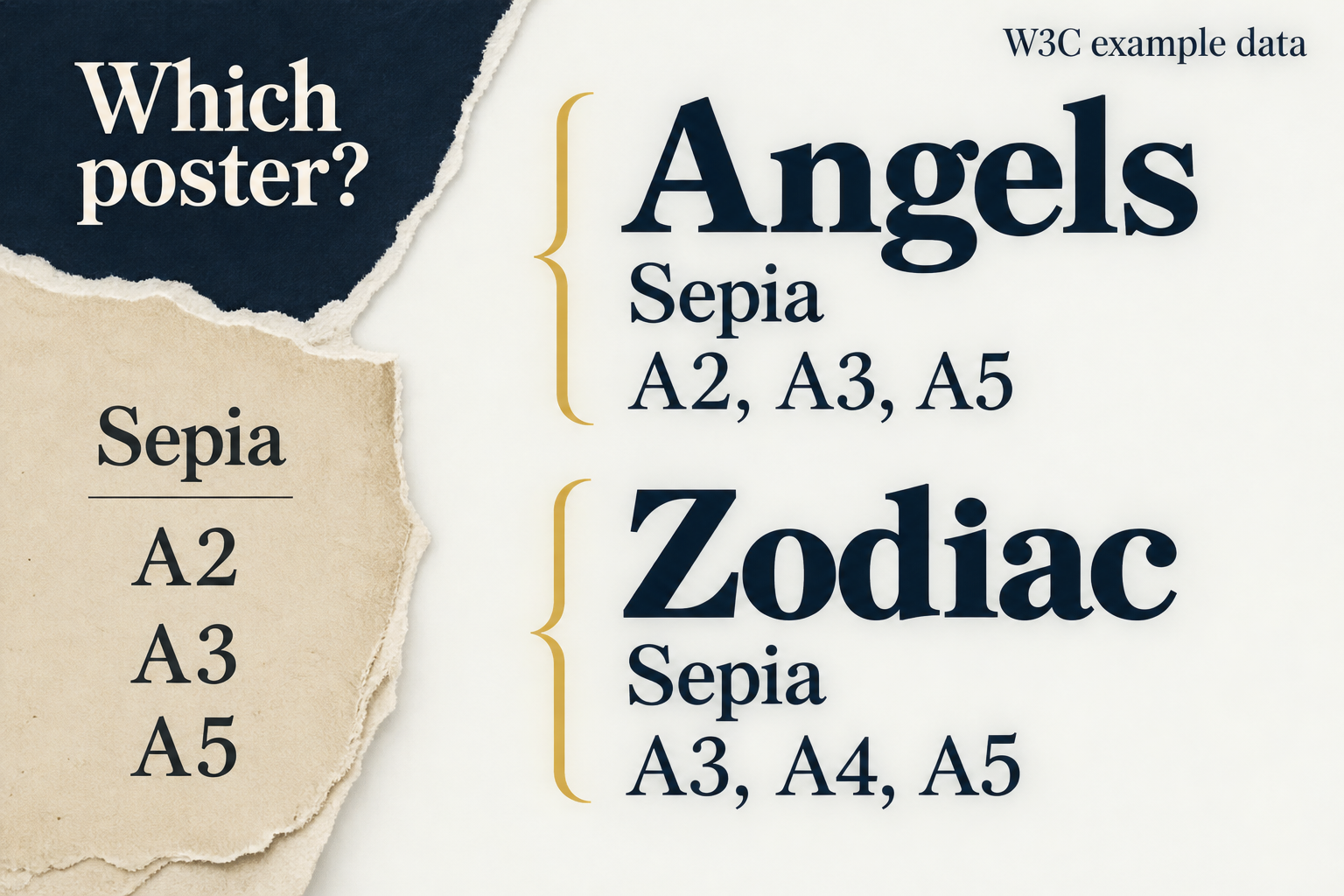
You’re given this extracted row:
Sepia — A2, A3, A5
What sizes are available for the Angels poster?
You can see a color and three sizes. You can’t yet tell which poster they belong to. Answering confidently would require a relationship the row doesn’t contain.
We ran into this while checking a real extraction from a W3C demonstration table. The text preserved the sepia sizes but lost their association with the poster name. Looking back at the original table let us recover it.
That’s an easy error to miss because the individual pieces can all be correct.
Where the meaning was hiding
In the original, “Angels” is a heading that applies to more than one row. HTML can represent that relationship with a row group and a header marked scope="rowgroup". The poster name doesn’t have to be repeated beside every color because the table structure carries the association.
W3C’s irregular-table tutorial demonstrates those connections. Here are the two sepia entries, with the shared heading repeated to make each row self-contained:
| Poster | Color | Available sizes |
|---|---|---|
| Angels | Sepia | A2, A3, A5 |
| Zodiac | Sepia | A3, A4, A5 |
These are W3C’s example data, not our products.
If an extraction keeps only the color and sizes, the missing association matters: the sepia options differ between the two posters. Recovering the text alone isn’t enough to recover the meaning.
The same problem can show up with a number that loses its unit, a result separated from the group it describes, or a sentence detached from a condition in the paragraph above it.
“Twenty” could mean twenty people, twenty dollars, or twenty percent. “Available” could mean available everywhere or available only to existing customers. The surrounding information does real work.
Follow the claim back to what supports it
When an AI answer includes a citation, I want to do more than check whether the link opens. A real source can still be attached to a claim it doesn’t support.
Try following the answer backward:
Start with the exact claim. “Angels is available in sepia at A2” gives you something concrete to locate.
Find the relevant passage or cells. Don’t stop at a page that happens to discuss posters.
Recover the relationships. Which heading applies? What do the units mean? Is there a footnote or condition that narrows the statement?
Compare the answer with that full meaning. Did it keep the right subject, scope, and qualification?
You can also ask the assistant to preserve those connections:
Extract each row with its full column labels and any shared heading repeated. Keep units and relevant footnotes. Mark relationships you cannot determine.
That request doesn’t guarantee a correct extraction. It makes the information you need explicit and gives you clearer things to inspect.
Our corrected copy was useful because we checked it against the original. It wasn’t a second independent source; it was a better representation of the same source.
That distinction matters. Two copies of the same mistaken relationship won’t make it true. Understanding what a detail belongs to is part of understanding the detail.
Tomorrow: Would someone actually use this?